Loading...
AI coding agentsvibe coding best practicesAI-assisted developmentproduction-ready applicationsAI coding workflowagent rulessecure vibe coding
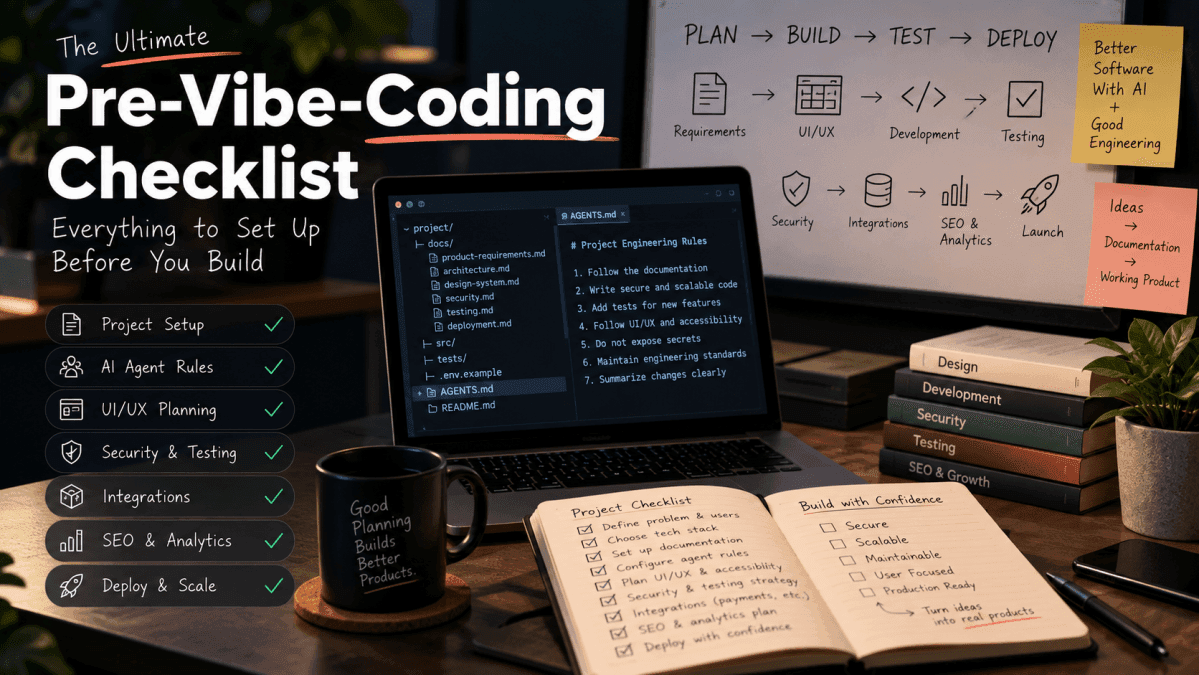
The Ultimate Pre-Vibe-Coding Checklist: Everything to Set Up Before You Build
Vibe coding makes it easier to turn ideas into applications, but generating code is only the beginning. This practical checklist helps you prepare your project, guide AI coding agents, protect sensitive data, validate functionality, and build applications that are ready for real users.
The Ultimate Pre-Vibe-Coding Checklist: Everything to Set Up Before You Build
AI coding tools have changed how developers turn ideas into working software. You can describe a feature in natural language, ask an AI coding agent to implement it, and see a working interface appear in minutes.
But there is an important difference between generating an application and building one that is reliable, secure, maintainable, and ready for real users.
An application may look complete while containing broken workflows, missing validation, exposed credentials, unreliable API integrations, or pages that search engines cannot index. The faster code is generated, the easier it becomes to overlook these problems.
This is where preparation matters.
Vibe coding works best when you combine the speed of AI with the discipline of software engineering.
In this guide, we will walk through a practical pre-vibe-coding checklist covering project planning, AI agent instructions, architecture, UI/UX, security, testing, integrations, SEO, and deployment.
Whether you are building a personal project, a SaaS application, a developer tool, or your next portfolio project, use this checklist before asking an AI agent to generate your first feature.
1. Define the problem before writing prompts
The first mistake in vibe coding is starting with a prompt such as:
Build me a modern expense tracker with authentication, analytics, and a beautiful dashboard.
This sounds clear, but it leaves too many decisions to the AI agent.
What information should users enter? How should expenses be categorized? What happens when a user has no transactions? Which currencies are supported? Can users edit or delete records? How should the application handle errors?
Without clear requirements, the agent will make assumptions. Some assumptions may be reasonable; others may become expensive rework later.
Before starting, document the following:
-
Problem: What specific problem does the application solve?
-
Audience: Who will use it?
-
Core workflow: What should a user be able to accomplish?
-
MVP scope: Which features are essential for the first release?
-
Constraints: What technologies, services, or budgets must you work within?
-
Success criteria: How will you know the feature works correctly?
For example, an expense-tracking application might have the following initial scope:
Area
Initial requirement
Authentication
Users can register, sign in, and sign out
Transactions
Users can create, edit, delete, and view their own transactions
Dashboard
Users can view spending summaries for a selected period
Categories
Transactions can be assigned to categories
Data security
Users cannot access another user's private transactions
Validation
Invalid amounts and incomplete required fields are rejected
Empty states
New users see a helpful onboarding message
Testing
Critical workflows have automated tests
This small exercise gives the AI agent a defined target instead of an open-ended assignment.
Practical tip: Start with the smallest complete user journey. Build and validate it before expanding the feature list.
2. Choose a technology stack you understand
AI coding agents can generate code for many frameworks and languages. That does not mean you should change your technology stack every time a tool recommends something new.
Choose technologies based on your project requirements, deployment environment, existing knowledge, and long-term maintenance needs.
A possible stack for a modern web application could include:
Layer
Example choices
What to decide
Frontend
React, Next.js
Rendering strategy and routing
Styling
Tailwind CSS, CSS Modules
Design system and component conventions
Backend
Next.js server functions, Node.js API
Business logic and API boundaries
Database
PostgreSQL, managed database service
Schema, relationships, and migrations
Authentication
Established authentication provider
Sessions, authorization, and account lifecycle
Testing
Vitest, Playwright
Unit, integration, and end-to-end coverage
Deployment
Vercel or another suitable platform
Environment variables, builds, and rollback strategy
Monitoring
Error tracking and application logs
How production failures will be detected
These are examples, not a universal recommendation. Select a stack that fits your requirements.
Before implementation, answer these questions:
-
Which framework and version will the project use?
-
Where will business logic live?
-
How will the application access its database?
-
Which services require API keys?
-
How will development, testing, and production environments differ?
-
How will database schema changes be managed?
-
What is the expected deployment process?
Record these decisions in a short architecture document. This prevents the agent from introducing unnecessary libraries, duplicate patterns, or competing implementations.
3. Create project documentation before asking the agent to code
AI agents need context. If the agent does not know your architecture, conventions, or requirements, it may create a solution that conflicts with the existing application.
Create a small documentation structure before development.
Plaintext
Adapt this structure to your framework and repository. You do not need every document for every project; start with the ones that answer important implementation questions.
What each document should contain
**product-requirements.md**
-
Target users and their needs
-
Feature requirements
-
User stories and acceptance criteria
-
Explicitly excluded features
**architecture.md**
-
Application structure
-
Data flow
-
API boundaries
-
Database relationships
-
Important technical decisions
**design-system.md**
-
Typography and spacing
-
Colors and design tokens
-
Button, form, card, and modal conventions
-
Responsive layout rules
-
Accessibility requirements
**security.md**
-
Authentication and authorization expectations
-
Sensitive data handling
-
Input validation
-
API protection
-
Logging and secret-management rules
**testing.md**
-
Unit-testing conventions
-
Integration-test requirements
-
Critical user journeys
-
Required validation before a feature is considered complete
**deployment.md**
-
Environment setup
-
Build and deployment commands
-
Migration procedure
-
Rollback considerations
-
Production verification checklist
The objective is not to produce documentation for its own sake. It is to make implementation decisions explicit and reusable.
4. Write AI agent rules
One of the most useful preparations for AI-assisted development is a repository-level instruction file.
Depending on the coding tool, this may be named AGENTS.md, CLAUDE.md, or another supported configuration file. Follow the instructions for the agent you actually use; do not assume every tool automatically reads every filename.
A good instruction file defines how the agent should work, not just what feature it should build.
Here is a starter example you can adapt.
Example: AGENTS.md
Plaintext
This is a starting point, not a replacement for project-specific rules.
For example, a financial application needs explicit transaction-integrity requirements. A content-management system may need publishing permissions and audit logs. A public API may need rate limiting and request-size limits.
Important: Instructions influence agent behavior, but they are not enforcement mechanisms. Security checks, access controls, automated tests, and code review must still be implemented in the application itself.
5. Plan the application architecture and data model
Before building a large feature, understand how the data moves through the application.
A simple web application might follow this flow:
Plaintext
The exact architecture depends on the framework, but the principle remains the same: each layer should have a clear responsibility.
For database-backed features, define:
-
Required tables and relationships
-
Primary keys and foreign keys
-
Unique constraints
-
Required versus optional fields
-
Indexes for important queries
-
Data ownership and access rules
-
Migration and rollback procedures
-
Deletion and retention behavior
Consider a transaction table for an expense application. It might need an owner identifier, amount, currency, category, transaction date, description, and timestamps.
Do not rely on the interface to enforce data ownership. A user who changes a request manually must not be able to retrieve or modify another user's records.
The AI agent should understand these requirements before creating models, queries, and API routes.
6. Establish UI/UX standards before generating screens
AI-generated interfaces can look impressive in a screenshot while failing during real use.
A polished design needs more than colors, cards, gradients, and animations. It needs predictable interactions and clear feedback.
Before implementation, define a basic design system.
Visual consistency
-
Use a consistent typography scale.
-
Define spacing and sizing tokens.
-
Reuse buttons, inputs, cards, dialogs, and navigation components.
-
Establish clear visual hierarchy.
-
Use color intentionally rather than adding decorative effects everywhere.
-
Ensure layouts adapt to mobile, tablet, and desktop widths.
Functional states
Every interactive component should have the states appropriate to its behavior.
Component
States to consider
Form
Pristine, invalid, submitting, success, failure
Data table
Loading, populated, empty, error
Button
Default, hover, focus, disabled, loading
Dialog
Open, closed, validation error, submission result
Search
Initial, results, no results, request failure
Dashboard
Loading, no data, partial data, loaded, error
Accessibility
Check that:
-
Controls can be used with a keyboard.
-
Inputs have accessible labels.
-
Focus indicators are visible.
-
Color is not the only way information is communicated.
-
Dialogs manage focus correctly.
-
Images have appropriate alternative text.
-
Text and controls have sufficient contrast.
Ask the agent to implement the full interaction, not just the static appearance.
For example, a delete button should have a defined confirmation flow, a real deletion operation, an appropriate success or error message, and a refreshed view of the data.
7. Prepare security rules before connecting real data
Security should be part of the initial architecture rather than a final cleanup task.
The earlier a security flaw becomes part of the application structure, the harder it may be to remove safely.
Use this checklist before integrating authentication, databases, payments, or third-party APIs.
Authentication and authorization
-
Require authentication for protected operations.
-
Check permissions on the server.
-
Verify record ownership for user-specific data.
-
Restrict administrative operations to authorized roles.
-
Test attempts to access resources belonging to other users.
Authentication confirms who a user is. Authorization determines what that user is allowed to do. You need both.
Secrets and environment variables
-
Store private credentials in server-side environment variables or a suitable secret manager.
-
Never commit real
.envfiles containing secrets. -
Provide a
.env.examplewith placeholder values. -
Review frontend environment-variable conventions carefully.
-
Rotate credentials if they are accidentally exposed.
-
Keep development, testing, and production credentials separate.
A variable being called an environment variable does not automatically make it private. Some frameworks deliberately expose variables with particular prefixes to browser code.
API and input protection
-
Validate input on the server.
-
Enforce appropriate request limits and rate limits.
-
Use safe database access patterns.
-
Handle errors without leaking stack traces or secrets.
-
Verify webhook signatures when supported.
-
Avoid trusting client-supplied prices, roles, account IDs, or ownership claims.
-
Use appropriate session, cookie, and cross-origin protections.
Privacy and logging
-
Collect only the information the application needs.
-
Avoid logging passwords, tokens, payment details, or sensitive personal data.
-
Define what information appears in analytics and error reports.
-
Document retention and deletion behavior where relevant.
Do not ask an AI agent simply to "make the application secure." Give it concrete security requirements, then test those requirements independently.
8. Define a testing strategy before adding features
A feature is not complete merely because it compiles or works once in the browser.
Define how the application will be tested before the number of features becomes difficult to manage.
Unit tests
Test small units of behavior, such as:
-
Calculation functions
-
Input validation
-
Date and currency formatting
-
Business rules
-
Permission-decision helpers
Integration tests
Test how components work together:
-
API endpoints and database operations
-
Authentication and protected resources
-
Form submission and persistence
-
External service adapters
-
Error handling
End-to-end tests
Test complete user journeys, such as:
-
Register or sign in.
-
Create a record.
-
Verify it appears in the interface.
-
Edit the record.
-
Delete it.
-
Confirm that unauthorized access is rejected.
A practical quality gate
Before merging or deploying a change, run the relevant checks for your repository:
Plaintext
These are illustrative commands. Use the commands configured in your project's package.json, and adapt them if you use a different language or test runner.
For critical workflows, add automated browser tests with a suitable tool such as Playwright.
Do not assume that a passing test suite proves everything works. Tests may miss untested requirements, insecure authorization paths, and real-world integration failures.
The goal is to make verification repeatable rather than relying entirely on manual inspection.
9. Prepare third-party integrations carefully
Many applications depend on services such as payment gateways, email providers, analytics platforms, file storage, or authentication services.
Each integration introduces additional failure modes.
Before implementing one, document:
-
The service's purpose
-
Required credentials and their storage location
-
The API or SDK version
-
Authentication requirements
-
Request and response formats
-
Error and timeout behavior
-
Rate limits and usage costs
-
Retry and idempotency requirements
-
Development versus production configuration
For payment systems, for example, the server should verify the provider's payment result rather than trusting a browser redirect.
For webhooks, consider signature verification, duplicate delivery, retries, and idempotent processing.
For email, consider provider failures, delivery status, template variables, and abuse prevention.
For analytics, ensure events represent meaningful actions and avoid collecting unnecessary sensitive information.
A useful rule: Build an integration behind a clear boundary so that the rest of your application does not depend on scattered provider-specific code.
10. Set up SEO before publishing your application
If your application has a public website, SEO should not be an afterthought.
You can build an excellent product and still struggle to attract organic traffic if search engines cannot discover or understand its public pages.
Before launch, verify the following.
On-page SEO
-
Give each important public page a descriptive title.
-
Write a unique meta description where appropriate.
-
Use a clear page heading and logical subheadings.
-
Explain the page's purpose in useful, original content.
-
Use descriptive URLs.
-
Add meaningful internal links.
-
Provide suitable image alternative text.
-
Avoid duplicated or thin pages created only to target keywords.
Technical SEO
-
Verify that intended public pages return successful responses.
-
Check that important content is available to search engines.
-
Configure canonical URLs appropriately.
-
Generate and validate an XML sitemap.
-
Review
robots.txtand page-level indexing directives. -
Ensure private dashboards and admin pages are not accidentally indexed.
-
Check redirects and broken links.
-
Verify mobile usability and page performance.
Search performance measurement
Once the site is ready:
-
Verify ownership in Google Search Console.
-
Submit the sitemap.
-
Inspect important URLs.
-
Review indexing reports and discovered issues.
-
Track search impressions, clicks, and relevant queries over time.
Submitting a sitemap does not guarantee indexing or ranking. Search engines still decide which pages to index and how to rank them.
For a portfolio, the public project pages, case studies, and technical articles should explain what you built, why you made particular decisions, and what you learned.
11. Plan analytics and meaningful success metrics
Analytics should help you understand whether users can accomplish their goals—not just how many times a page was opened.
Choose a small set of metrics that correspond to your application's purpose.
For a SaaS application, you might track:
-
Registration completion rate
-
Activation rate
-
Core-feature usage
-
Successful task completion
-
Retention over time
-
Error rate for important workflows
For a developer portfolio or blog, useful measurements might include:
-
Organic search impressions and clicks
-
Visits to individual articles
-
Clicks from articles to project case studies
-
Starter-kit downloads
-
Newsletter subscriptions
-
Contact-form submissions
Define each event before implementing it. Use consistent names, avoid duplicate event firing, and respect applicable privacy requirements.
For example, tracking a successful signup is more useful than tracking every button click without knowing what the click represents.
Do not add analytics simply because an AI agent suggests another library. Choose a measurement approach that answers specific questions about your product.
12. Prepare deployment and environment configuration
Deployment should be a repeatable process, not a sequence of undocumented manual fixes.
Before your first production release, verify:
-
Required environment variables are documented.
-
Development and production credentials are separated.
-
Database migrations are reviewed and tested.
-
The production build succeeds.
-
Authentication callback URLs are configured.
-
Domains and HTTPS are configured correctly.
-
Error monitoring is available where appropriate.
-
Logs can help diagnose failures without exposing secrets.
-
A rollback or recovery plan exists for important changes.
-
A production smoke test is documented.
Keep an .env.example file with placeholder values:
Plaintext
Replace these example names with the variables your application actually uses. Do not put real credentials in the example file.
After deployment, test the actual production environment. A successful local build does not prove that production credentials, callbacks, database permissions, and third-party integrations are configured correctly.
13. Build a repeatable AI coding workflow
Once the project is prepared, use a consistent workflow for every feature.
Step 1: Plan
Ask the agent to inspect the repository and identify the files, requirements, and dependencies relevant to the task.
Step 2: Propose
Request a short implementation plan, including data changes, API changes, UI states, security considerations, and tests.
Step 3: Implement
Keep the task focused. Prefer one complete feature over asking the agent to modify the entire application at once.
Step 4: Verify
Run the relevant tests, linting, type checks, and build. Inspect the actual behavior rather than relying only on the agent's summary.
Step 5: Review
Check for unnecessary dependencies, duplicated code, authorization gaps, broken states, accessibility problems, and unrelated changes.
Step 6: Document
Update the relevant documentation when architecture, environment variables, APIs, or operational procedures change.
Step 7: Release
Deploy through the established process, then verify the critical user journey in the deployed environment.
This workflow preserves the speed of AI-assisted development while keeping engineering decisions visible.
14. Use a better prompt for your first coding task
A vague prompt gives an AI agent too much freedom. A structured prompt communicates the goal, boundaries, and conditions for completion.
Use this template as a starting point.
Plaintext
Replace the placeholders with concrete requirements. For example, "users can edit their own transactions" is better when accompanied by explicit acceptance criteria stating that unauthorized users cannot edit another user's transaction.
The more important the feature, the more precisely its expected behavior should be defined.
15. Complete the pre-vibe-coding checklist
Use this final checklist before starting a substantial AI-assisted development project.
Product and planning
-
The problem and target users are defined.
-
The MVP scope is documented.
-
Important user journeys are mapped.
-
Acceptance criteria are written.
-
The technology stack is selected.
Documentation and AI configuration
-
Project instructions are available to the selected AI agent.
-
Architecture and data-model decisions are documented.
-
Coding conventions are defined.
-
Security and testing requirements are documented.
-
The agent's instructions match the actual repository.
Design and functionality
-
A consistent design system is established.
-
Responsive layouts are planned.
-
Loading, empty, success, and error states are defined.
-
Accessibility requirements are included.
-
Forms and interactive components have explicit behavior.
Security and integrations
-
Secrets are kept out of source control and client-side bundles.
-
Authentication and authorization requirements are clear.
-
Server-side validation is planned.
-
Database access and ownership checks are defined.
-
Third-party integrations have documented failure handling.
-
Webhooks and payment-related flows have appropriate verification.
Testing and deployment
-
The test strategy is documented.
-
Critical user journeys have acceptance tests.
-
Lint, type-check, test, and build commands are known.
-
Environment configuration is documented.
-
Database migrations and deployment steps are understood.
-
Production verification and recovery procedures are planned.
SEO and measurement
-
Important public pages have descriptive titles and content.
-
Indexing rules and canonical URLs are reviewed.
-
Sitemap and robots configuration are checked.
-
Analytics events correspond to meaningful outcomes.
-
A method for measuring results is in place.
You do not need to complete every item before experimenting with a small prototype. However, the closer you get to handling real user data, payments, or production traffic, the more important these controls become.
Common vibe-coding mistakes to avoid
Even with good preparation, several habits can undermine the quality of an AI-generated application.
1. Building too many features at once
Large prompts can produce broad changes that are difficult to review. Break work into small, testable increments.
2. Trusting visual output as proof of functionality
A button that looks correct may have no meaningful action behind it. Verify the complete workflow.
3. Accepting code without reviewing it
AI-generated code can contain incorrect assumptions, inefficient queries, outdated patterns, and security vulnerabilities. Review the changes and run appropriate checks.
4. Adding libraries without a clear reason
Extra dependencies increase maintenance and may introduce vulnerabilities or unnecessary complexity. Prefer existing project capabilities when they meet the requirement.
5. Ignoring error handling
Real applications encounter timeouts, invalid input, network failures, duplicate requests, and unavailable services. Design for these conditions.
6. Leaving SEO and observability until launch
Discoverability, performance, error reporting, and analytics are easier to plan when they are part of the architecture from the beginning.
7. Treating AI agent instructions as a security boundary
A prompt cannot replace server-side authorization, validation, automated security checks, or independent review.
Final thoughts: Build faster without skipping engineering
Vibe coding is not just about writing fewer lines of code. It is about shortening the distance between an idea and a useful product.
The strongest workflow combines clear requirements, a consistent architecture, reusable agent instructions, thoughtful UI/UX, security controls, automated testing, and production verification.
You do not need a large documentation system for every experiment. Start with the essentials, scale your process with the risk and complexity of the application, and keep the feedback loop short.
Before your next AI-assisted project, remember three principles:
-
Give the agent context before giving it tasks.
-
Define how success will be verified before implementation begins.
-
Treat generated code as a proposal that must be tested and reviewed.
AI can help you build faster. Good engineering practices help ensure that what you build is worth shipping.
Continue learning
This article is the starting point for a practical series on building better applications with AI coding agents.
Explore these related topics as the series develops:
-
AI Agent Rules and Markdown Files: How to give coding agents consistent project context and reusable engineering instructions.
-
The UI/UX Checklist for Vibe-Coded Applications: How to move from a visually impressive interface to a usable, accessible product.
-
The Complete Vibe Coding Starter Kit: A reusable collection of project rules, checklists, and workflows.
-
Testing and Security with AI Coding Agents: How to validate generated code and reduce avoidable risks.
-
Third-Party Integrations: How to handle payments, webhooks, and analytics reliably.
-
SEO and A/B Testing: How to measure and improve an application's public reach and user experience.
The examples in this guide are starting points. Adapt them to your framework, coding agent, application architecture, and security requirements.
Was this post helpful?
Comments
0Be the first to share your thoughts.